What Xperios does, across every module.
The people you hold, the portals families and teachers use, the reports you run and the money that flows through it all. Each module adds its own screens on top.
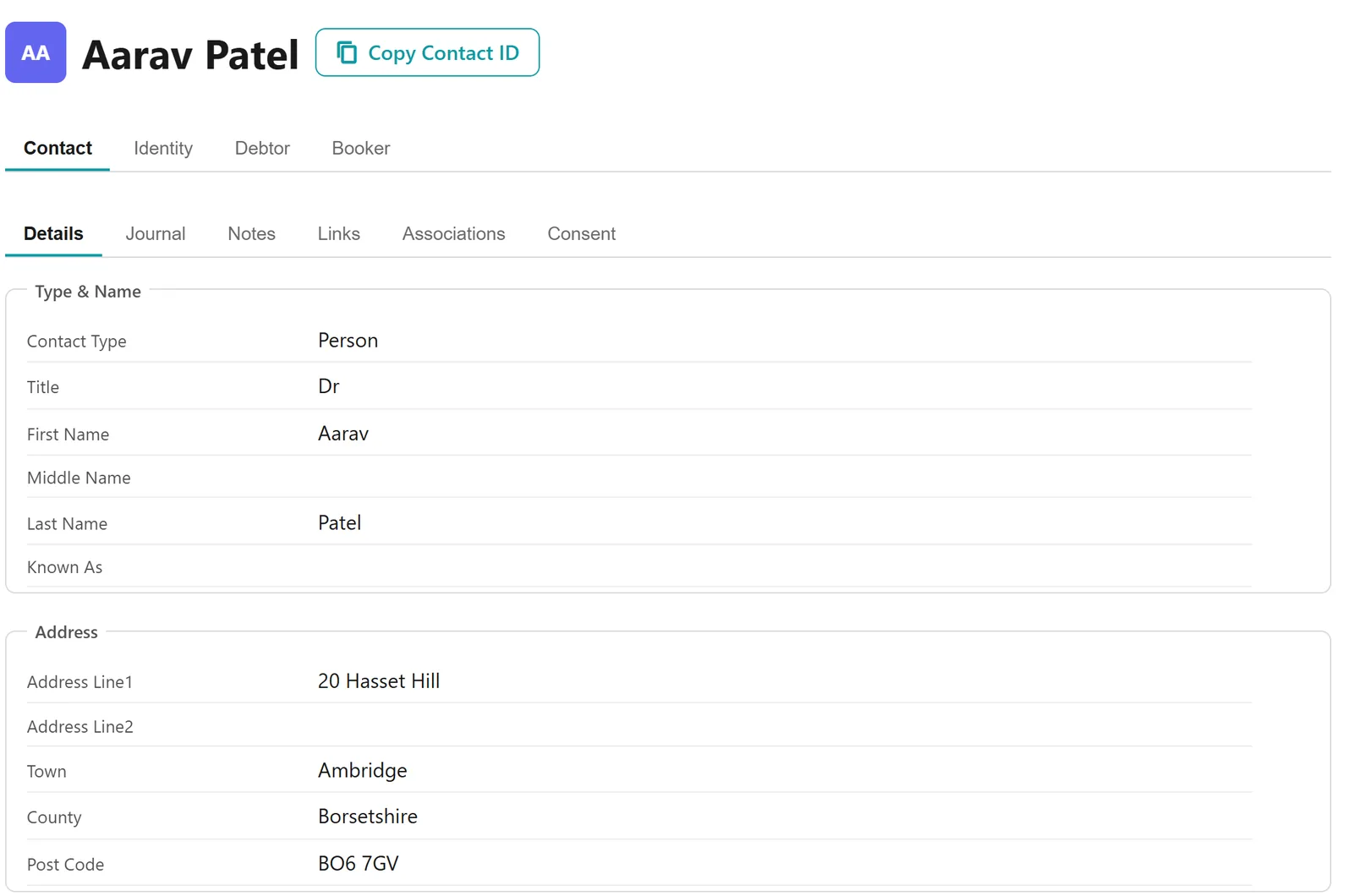
One record for every person
A tab for each role
Pupils, parents, teachers, schools and centres are all contacts. A person has a single record with a tab for each role they hold, so a teacher who is also a parent is one person with both, and one sign-in reaches everything they are.
Kept up to date by the people themselves
Parents and teachers update their own details through the portal – addresses, medical information and school details – so you aren’t chasing changes by phone.
Portals for parents and teachers
Parents apply, accept offers, pay and follow their children’s lessons. Teachers see their schedule, mark registers, record assessments and claim pay – in the portal, or in a teacher app that works offline.
Families apply and book themselves
Each service has its own portal address. Parents find what you offer in your prospectus, which can differ from school to school, give you everything you need, and pay there and then – unless they are joining a waiting list, in which case nothing is charged until a place is found. You see every booking in Xperios without typing any of it in.
Direct bookings or waiting lists
Each service can take bookings straight away or as applications that wait for a place, which keeps capacity under control. Statuses track every booking, and families are told when theirs moves on.
Up to date for everyone
Timetables in the portal update as soon as something changes, and families can be told automatically. Where you allow it, teachers can move a lesson by dragging it in their timetable.
One sign-in for everything
Paritor Identity gives each person one sign-in for every role and every service they are connected to, with password reset and multi-factor authentication built in.
Ask once: an answer or a person
Parents ask their question in the portal. Cognario, Paritor’s AI assistant, answers what it can, and anything it can’t goes to your own team in the same conversation – so a parent asks once and gets either an answer or a person, and can see which.
Interest before you open
People can register interest in something you don’t run yet and answer a short form. You see the demand building, and when you’re ready you can email or text them, or export their answers.
Parents connect themselves
Parents of pupils in school-billed lessons can ask to connect from the portal, and a connection link sent by you or the school connects them straight away.
A free session first
A pupil waiting for a place can be offered a free session before the real offer. The parent books it in the portal, and the offer follows once the register for that session is marked.
The day, without the time
A tuition service type can show parents the day of each lesson without its time.
Reports, queries and dashboards
A library you don’t have to build
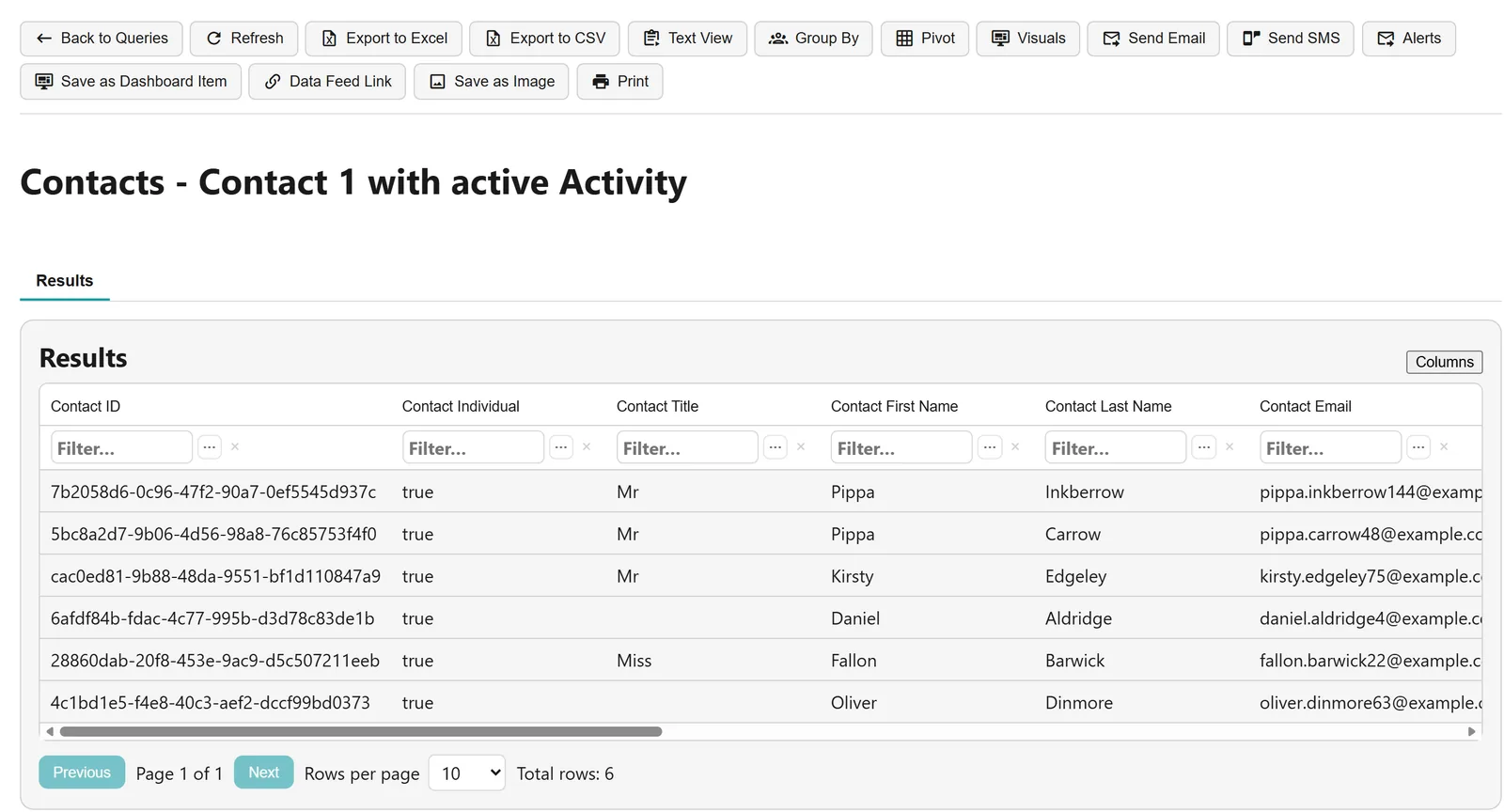
Every customer gets a central library of ready-made queries and reports, kept up to date by Paritor rather than rebuilt by each service. Filter, group, pivot and chart the results, or export them to Excel.
Dashboards and alerts
Each user builds their own dashboard from queries, reports and KPI tiles, and a dashboard can be emailed out on a schedule. Set a threshold on a query and Xperios watches it, telling you when the number changes.
Live data in Excel and Power BI
A query can be published as a live feed into Excel or Power BI, so your own reporting stays current without exporting by hand.
Reports for the people you answer to
Share reports with the people you answer to, email them in a few clicks, and show parents their child’s progress through their own reports.
A weekly business report
Every Monday, Xperios can send you a business report with a section for each part of the service you run – finance, tuition, group membership, hires and events – and a written summary from Cognario. Preview it, send it now, or print it and save it as a PDF. The business report is in beta.
Schedules built from your term dates
Term dates first
Schedules are built from the term dates you enter, with inset days, bank holidays and other closures marked as non-working time so lessons skip them without rescheduling. Plan across many teachers and venues without double bookings.
Changes reach the people they affect
Change a time, date, room or teacher and the change can go to the teachers, families and venues it affects. Where a service chooses, credits are raised automatically for lessons that weren’t delivered.
The academic year runs through everything
Every lesson, group and charge belongs to an academic year, and progression carries pupils, their rates and their discounts into the next.
The sessions you sell, and no more
A tuition service type can lay exactly the sessions in each term, no more than the term holds, or up to a maximum for the year, and Xperios tells you when a term falls short.
Registers, progress and grades
Registers from the portal
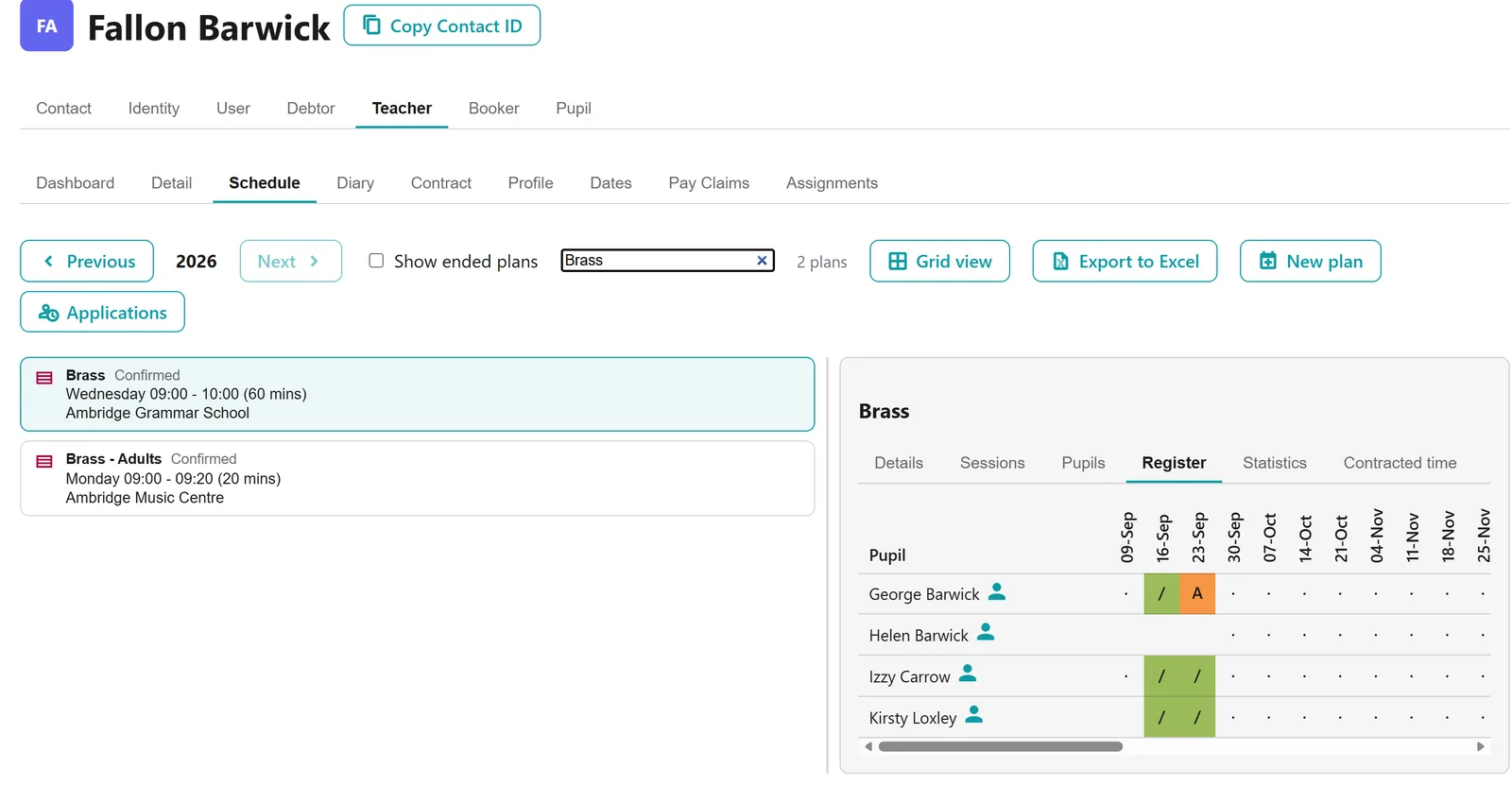
Teachers mark registers from the teacher portal, and Xperios can chase the ones still outstanding. Each week, teachers are emailed every register they still owe this year, oldest first, and you choose the date the chasing starts from.
Registers without a signal
The Xperios teacher app marks registers on a phone or tablet whether or not there is a connection, and uploads what was marked as soon as there is one – for the classroom where the wifi doesn’t reach.
Targets, notes and working grades
Teachers set achievable targets and working grades, and record lesson notes to support them. Attendance, notes and grades are shared with parents through the portal.
Absences chased for you
Once a pupil misses a set number of lessons in a row with no reason given, the payer is emailed each week, and the wording grows firmer the longer it goes on. Parents can tell you about an absence in the portal or the app by picking the coming lessons, a reason and a note: each teacher gets a message, and the register shows the reason.
Delivered, not just timetabled
Each lesson’s outcome decides whether the teacher is paid, the pupil is charged and a make-up is owed. The office can mark one pupil or a whole session without waiting for the teacher, and schools confirm, or dispute with a reason, the lessons held at their school. Statistics show lessons delivered, not delivered and remaining, with attendance counted over delivered sessions only.
Messages, with a record of every one
Email, text and secure messages
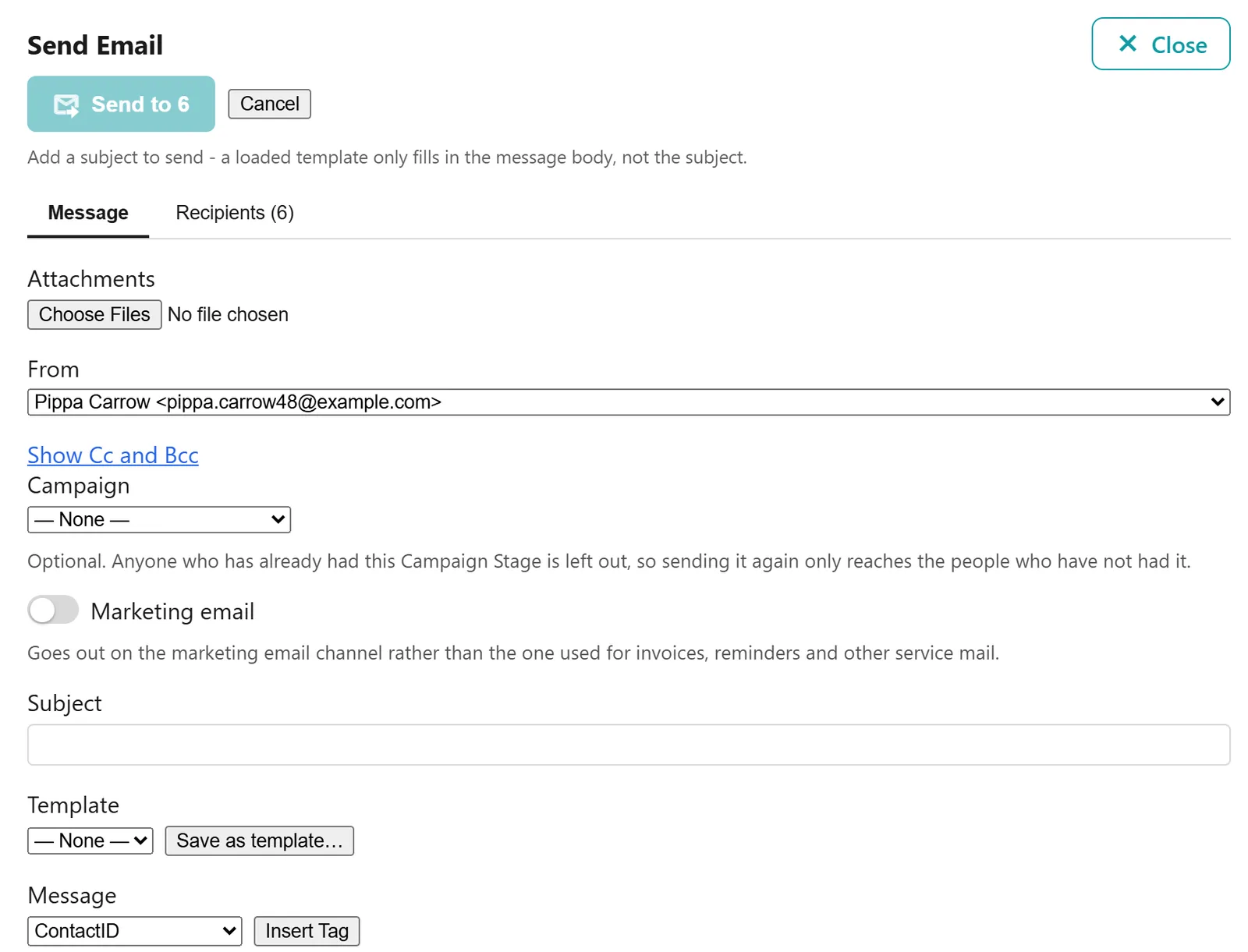
Send email, SMS and secure messages to one person or to everyone a query finds, in your own design and from templates. Schedule changes can go out to teachers, schools and families automatically.
A journal that answers “did it go?”
Everything sent is recorded on the recipient’s journal – including whether an email was opened – so the record of contact is in one place.
In your own brand
Emails carry your organisation’s header, colours, footer and signature, set up once and used on everything you send.
Finance and payments
Invoices on your terms
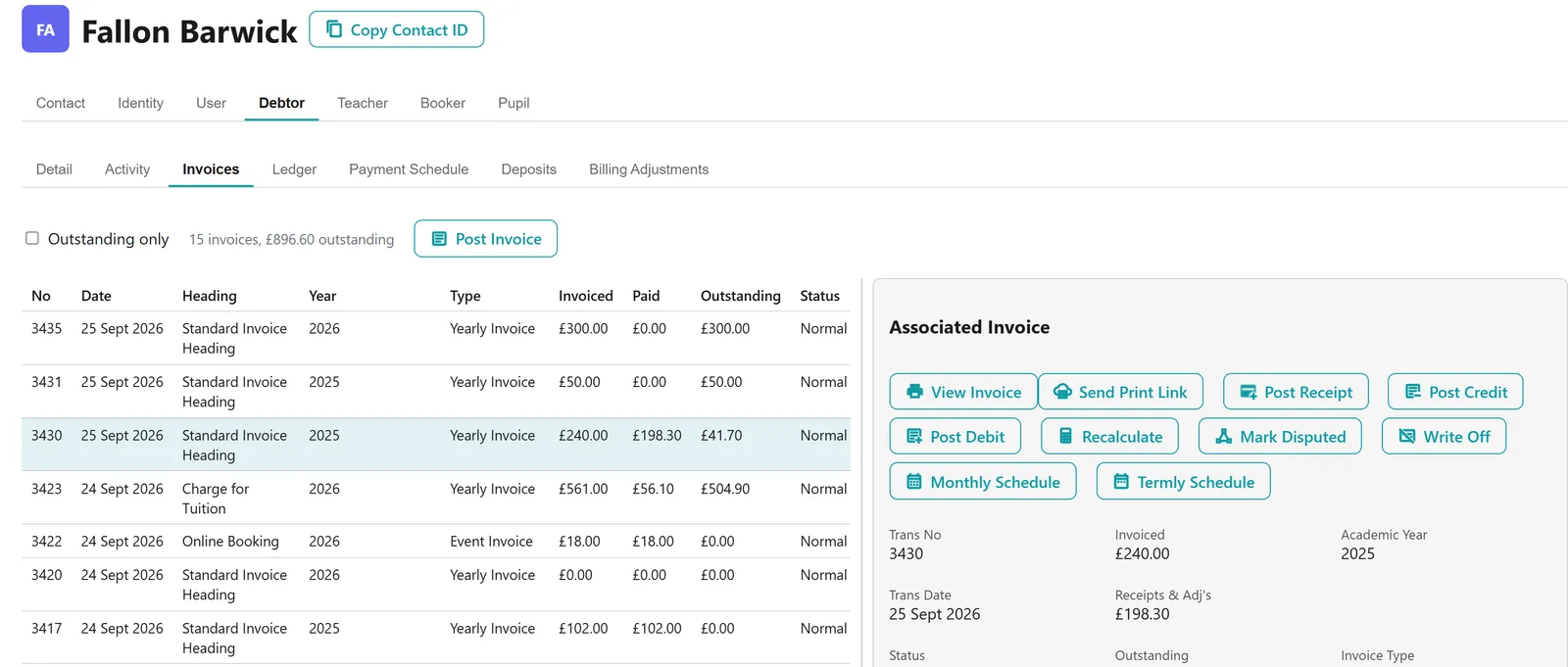
Each service type sets how often its activities invoice and from when, and online bookings are invoiced overnight. Invoices, credits, refunds, write-offs and instalment schedules all live in one place, and every module that charges does it through here.
Online payments and instalments
Families pay by card online – through SchooblePay, Paritor’s integrated card payments, or your own Stripe, Worldpay, Opayo, Civica, Pay360 or GOV.UK Pay account – and can choose payment dates and the number of instalments within the limits you set. Receipts are matched to accounts automatically.
Paid before teaching starts
If you want payment before a pupil starts, you can have it: make a service Direct Purchase so families pay when they apply, or use the offer process so a place waits on its offer until it is paid for.
Failed payments followed up
Expired cards and failed collections send the payer an automatic message so they can put things right. A failed collection is tried again after three days, and a fourth failure cancels the schedule.
Schools, remissions and free school meals
Schools can be billed under service level agreements that bill nothing until they are released, and signed where you require it. Remissions and free school meals can follow a payer’s eligibility rather than being applied by hand to each activity. A free school meals check lasts as long as you set, and when it runs out the remission stops until the payer is checked again.
Ready for your accounts
Finance data can be exported for your accounts system, and Xperios records what has already been taken so nothing goes twice.
Discounts that work themselves out
A sibling discount takes a percentage or an amount off for a payer’s other children, counting their tuition, groups and hires together, and you choose whether the first child has it too. A pupil’s second and later activities of the same service can be discounted, with a separate adult rate and a cap, and a charge can take a percentage off when the pupil already has centre tuition, school tuition or a group place.
Discount codes
A code worth a percentage or an amount, with a use limit, and optionally for one email address. It can be limited to a service’s events, auditions or exam sessions, or narrowed to one event, audition, exam session, level or section, and it shows on the invoice.
Remissions applied for online
Parents choose a remission when they apply and upload the evidence, and staff approve or reject it. When a pupil progresses to the next year, their remission is re-applied and the payer is asked to confirm. A school’s subsidy can apply automatically, with no application, to the direct-billed tuition and linked hire of eligible pupils at that school.
Free periods and late joiners
Make the first term, year or academic year free, or set a reduced charge for anyone joining after the term’s break date.
Gift Aid on membership fees
Switch Gift Aid on and mark which groups are eligible. Payers make a Gift Aid declaration from their portal account or when they apply, and the date is recorded. The Debtors – Gift Aid query then lists eligible membership fees against declarations, with the details HMRC asks for and what has been paid. Xperios doesn’t work out or file the claim itself.
Payment emails matched for you
Where payments arrive as emails from a payment system, such as receipts in a shared mailbox, Xperios recognises them and matches each one to the payer’s unpaid invoices. A reviewer accepts the match and the receipt is posted.
Income, actual and projected
A report by term shows what has been invoiced, received and is still outstanding, what is not yet invoiced, and the income you can expect, across parents, schools and other organisations.
Instrument and equipment hire
Out, charged and back again
Instruments, sheet music and equipment go out on hire with their own queues for allocation, collection and requests. Hire is charged alongside everything else, and a return is recorded separately, so you always know what is still out.
Teachers’ contracts, time and pay
Every kind of teacher
Manage pay for salaried, hourly paid and self-employed teachers by recording the lessons, rehearsals and performances they deliver, including teaching missed for PPA, CPD and other allowances.
Contracts measured against delivery
Compare the hours in each teacher’s contract with the hours they have taught, so hourly pay follows what was delivered and contract fulfilment is clear. Each plan shows its salaried teachers’ contracted time and FTE, and warns you when the schedule doesn’t match the agreement.
Pay claims
Teachers claim pay from the teacher portal. You decide how far back a claim may reach, and whether a register must be marked first.
You decide what teachers may do
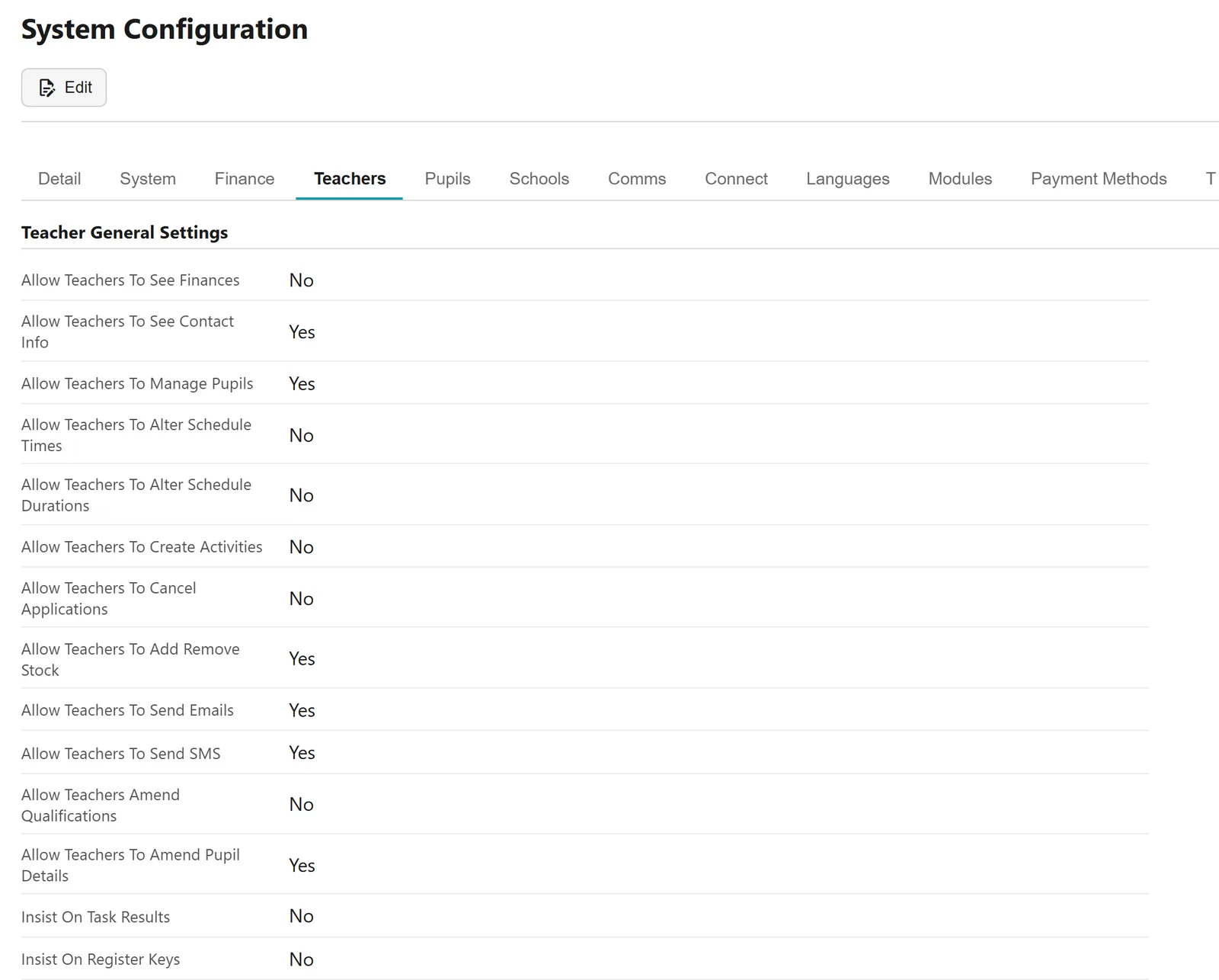
Settings for the whole service decide what teachers may do for themselves: see finances and contact details, change lesson times and lengths, cancel applications, add and remove stock, send emails and texts, and amend pupil details.
Breaks, paid or not
Choose whether teachers’ breaks are paid. If they are, breaks count towards weekly totals, contracted time and FTE; if not, they are time at the school rather than teaching.
Data protection, consent and DBS
Anonymised when the time comes
Set how long records are kept, and Xperios anonymises them once that period has passed.
Unsubscribes honoured, service mail kept
When someone unsubscribes, Xperios stops sending them marketing but keeps sending what they need – invoices, reminders and notifications. Only a dead mailbox stops every email.
DBS checks that don’t lapse
Teachers’ DBS checks are tracked in detail, and Xperios shows you when one needs looking at, so a certificate doesn’t lapse unnoticed.
Users, access and languages
The right access for each role
Give each user an access level that fits their role, control their task lists, and allocate their user licence. Modules are licensed for your service as a whole.
English and Welsh, with more to come
Xperios runs in English and Welsh, with more languages coming, and each user can set their own language and culture.
A library to share
Upload materials to your own library and share them with the audiences you choose – pupil groups, teaching staff or administrators.
Running the office
Everything waiting, counted
A Tasks band shows live counts of what is waiting: credit and refund approvals, withdrawals, change and connection requests, remission and subsidy requests, declined offers and service requests. Staff choose the notifications they want, so the right person hears about it.
Children, adults or both
Choose child, adult or mixed mode, so Xperios offers what fits the people you teach: in adult mode, child-only settings such as free school meals and looked-after status drop away. And the word you use for the people you teach, such as pupils, students or learners, appears throughout the online application parents see.
Service requests become the work
Accept a school’s service request and Xperios turns it into a plan, a hire or a purchase on the school’s SLA, showing you a preview first.
Find any setting
Search every settings screen and field by name, so you don’t need to know where a setting lives to change it.
Getting started and support
Bring your data with you
Import your existing records rather than retyping them, so Xperios starts with the service you already run.
The Xperios guide
A detailed user guide, kept up to date as Xperios changes, and help a click away inside Xperios.
Support tickets, ours and yours
Raise tickets with Paritor and follow them in Xperios. You can run your own customer support in Xperios too, with tickets divided into topics, user ratings, and a dashboard showing where the biggest issues are.
And what each module adds
Every module is built on all of the above. Its own screens and features are on its page.
-

Tuition
Lessons and classes in any subject: activities, applications, timetables, registers and the charging behind them.
-

Resources
Instruments, costumes, sheet music and equipment: what you own, who has it, and what the hire is costing.
-

Groups
Choirs, companies, clubs and classes: membership across years, sessions, fees and keeping in touch.
-

Events
Shows, courses, trips, workshops and training days: set them up, take bookings and payment, see who came.
-

Exams
Graded exams with external boards: sessions, boards and subjects, entries and the fees that follow.
-

Audition
Auditions for selective places: arrange the audition, record what happened, decide who gets in.
-

Rapport and CRM
The relationship side: contact history, enquiries, distribution lists and the emails you send in bulk.
-

Appraise
Progress reporting: what a teacher assesses, the language they use, and the report a parent or learner reads.
-

Studies
Longer courses and programmes of study, with their own members, items and charges.
-

Consultations
Parents' evenings and one-to-one appointments: slots, bookings and who is expected.
See Xperios with your own service in mind.
Book a demonstration and we will show you Xperios working the way your organisation does, and answer your questions about moving your data across.