Audition
Audition supports organisations that select for their ensembles, companies and centres rather than admitting everyone. The office arranges the audition, applicants apply through the portal, and what the panel records is kept with the applicant so the decision has something behind it.

What Audition does
Arrange the audition
An audition carries its dates and the window in which people may apply, and is archived once the round is over. It appears in your prospectus with instructions for applicants.
An application form you design
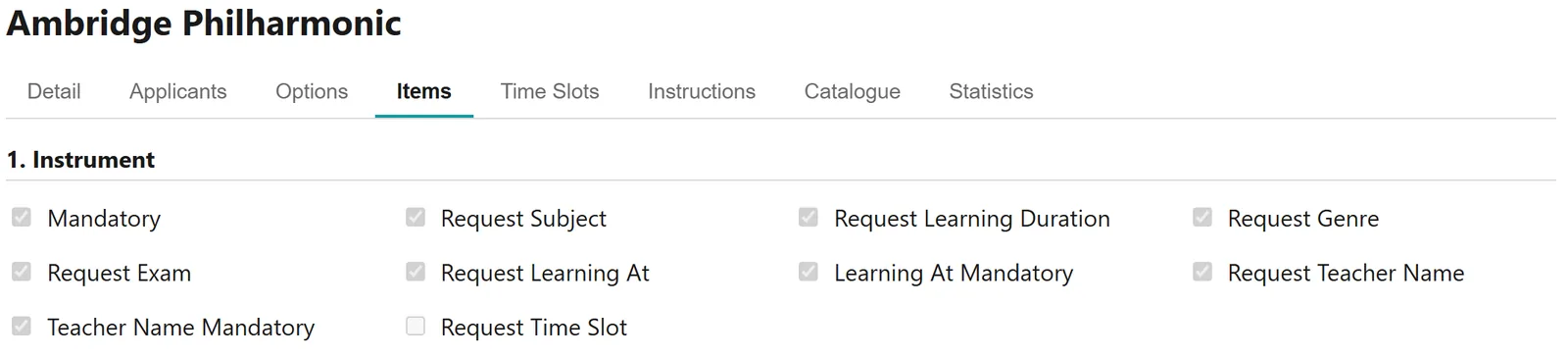
Each audition asks what you need to know – the instrument, subject, genre, how long they have learned, any exams, where they learn and who teaches them – and you decide which answers are required. Each question can carry its own instructions, so applicants know what is expected.
Time slots
Applicants are given or choose a time slot, each with its own number of places, rather than everyone arriving at once.
Record the evidence and the result
What the panel observed is saved against the applicant on a result form you design, so every panel records the same things and the decision has something behind it. Statuses track each applicant from application to result.
Offers, and into the group
Record results, send offers, and move successful applicants into a group in one step. Groups can invite people to audition too, so selection and membership are joined up rather than kept as parallel lists.
One account for every audition
Applicants and parents use one sign-in to apply, follow the process from start to finish and pay online, and can apply for more than one audition. Unpaid fees are chased for you on a cycle you set.
Audition in the Xperios guide →
Every module is built on the Xperios Framework, which shares its contacts, portals,
finances and reports with every other module: see Features.
See Xperios with your own service in mind.
Book a demonstration and we will show you Xperios working the way your organisation does, and answer your questions about moving your data across.